The Cadulis application, documentation, and email support are nevertheless available in your language. You can create your account for free in 1 minute!

Getting started - Manager
To schedule interventions, you need:
- a business unit
- one or more activity types, to be configured in the Catalogue tab
- one or more field workers linked to the business unit. You can invite your team members via the Team tab
Use our templates to understand how it works; you can then customize them to perfectly fit your business.
Customize your Cadulis
Everything is customizable in Cadulis!
Start with a simple project to get familiar with the basic features.
Feel free to contact us—we can assist you with the setup.
Building a team
A Business Unit can represent a company or a team; they are especially useful for managing information sharing visibility:
For example, a supervisor who belongs to your business unit will have access to your indicators, whereas a subcontractor supervisor (from another business unit) will not have access. The business unit is identified by its attachment code, which you need to share with your technicians, supervisors, and call center agents so they can request to be linked to your business unit.
By default, when you create your account, you are both an administrator and a field worker, so you can start testing Cadulis right away.
Let us guide you in the Team Structure section.
Creating an intervention
There are many shortcuts to manually create an activity. There are also many automatic ways (from an email inbox, via a client portal, a web service, etc.), but let’s start with the simplest: At the bottom of the homepage, you’ll find the “create an activity” button. Then, simply choose the activity type and leave the other fields empty.
Many methods are available to you: Create activities
Scheduling an intervention
Scheduling an intervention is accessible from the intervention record. Three scheduling modes are available:
Manual
This is the simplest mode: you choose the field worker and the date.
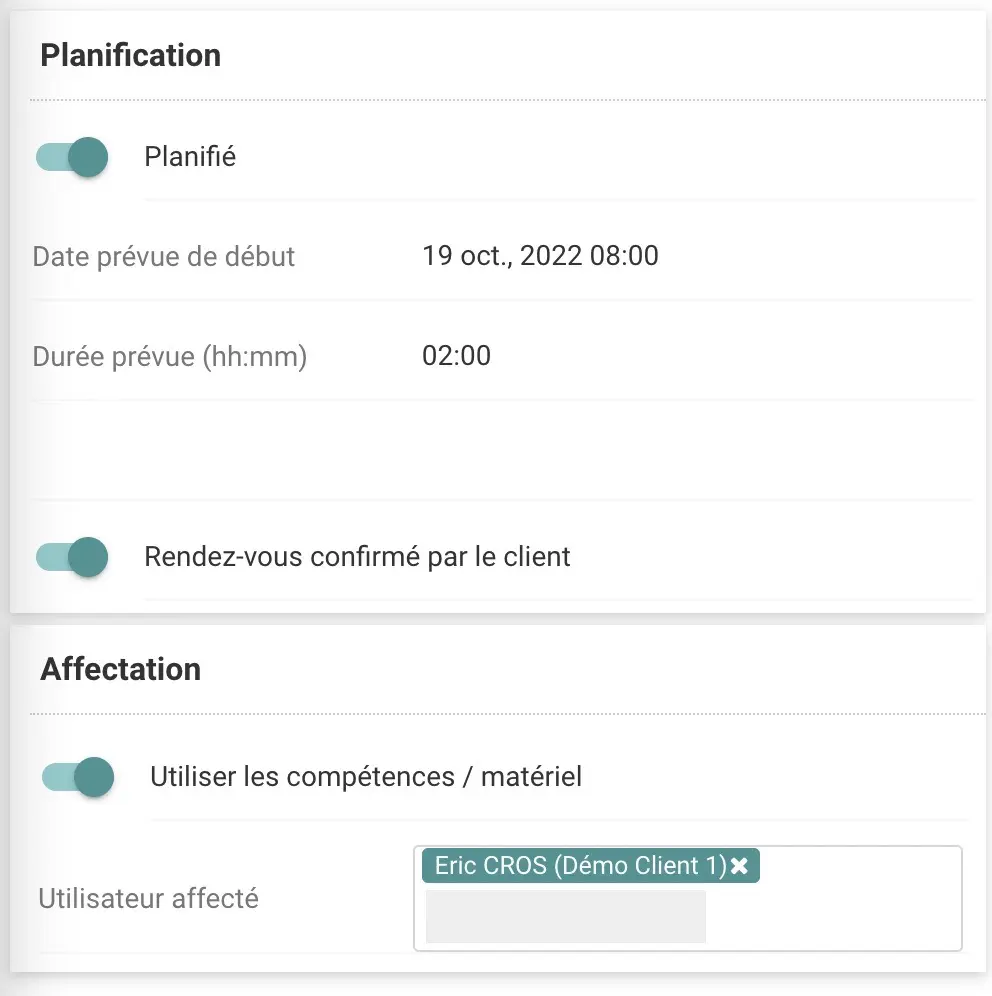
Planning
In this mode, the scheduling assistant suggests the top 3 field workers. You can view their respective planning lines, and colored boxes (green, orange, red) indicate the relevance of each available time slot.
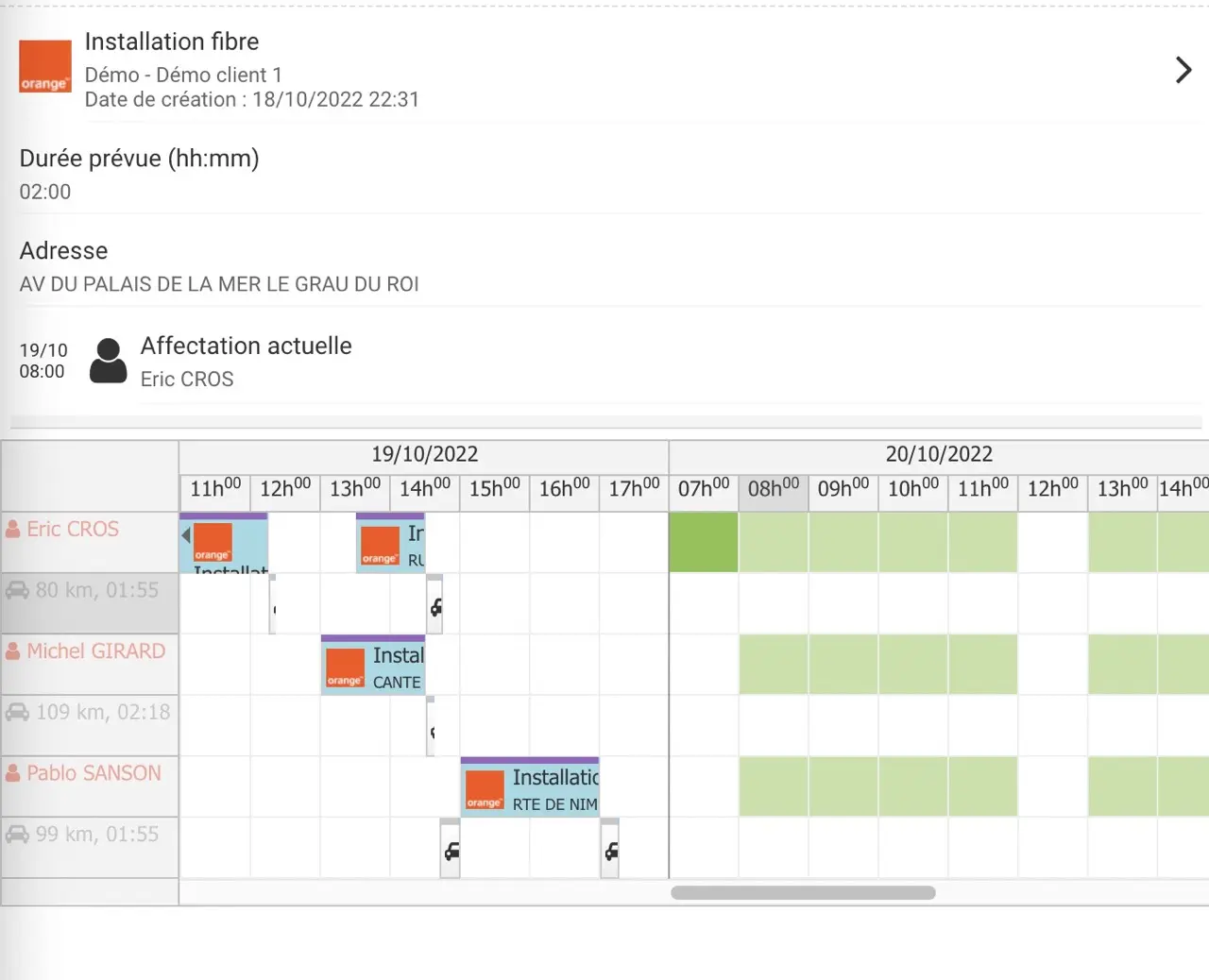
Scheduling Assistant
Cadulis’s advanced algorithms calculate the most relevant availabilities for each time slot throughout the week. You get a table of dates and times, allowing you to instantly see your field teams’ availabilities.
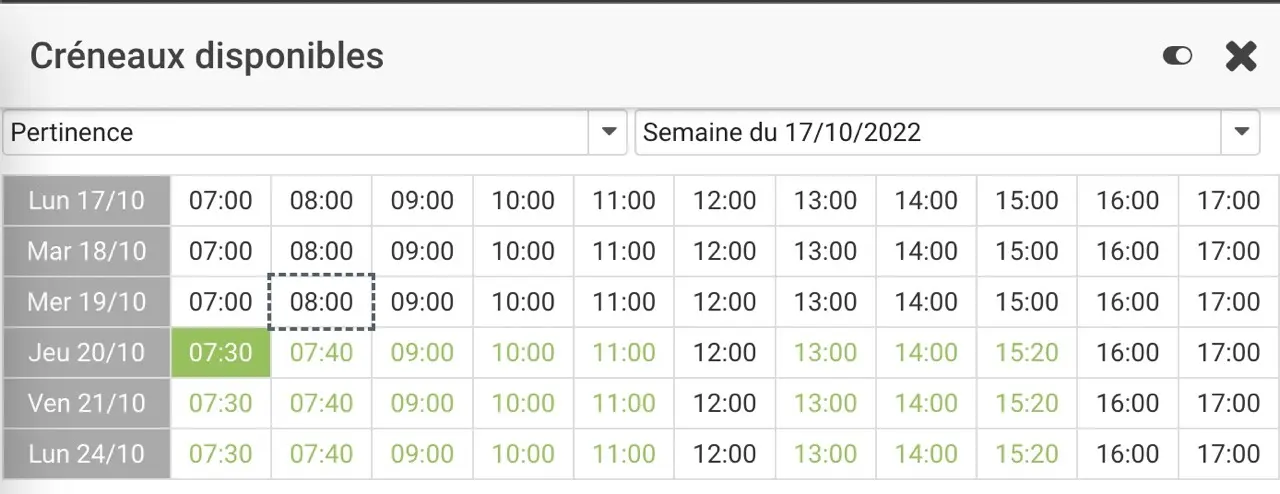
Viewing the report
Once the field worker (or your activity manager) has closed the activity, its status and the customized reports become available on the intervention record.
Cadulis billing
Upon registration, your company receives 200 free credits, valid for one year: enough to carry out up to 200 interventions. The number of user accounts linked to a company is unlimited. An intervention is “charged” when it is assigned to a field worker or when it is closed. Once your credits are used up, you can still create and schedule interventions, but you can’t assign them to a field worker or close them.
Cadulis operates on a prepayment basis: you top up your account directly online by credit card, direct debit, or bank transfer, and then use your credits as needed, for up to two years from the date of purchase.
The Cadulis service is commitment-free.
Ensure your success with Cadulis.



A 30-minute video call to understand everything!