

On the same Cadulis page, two buttons triggered the same action. They didn’t have the same label. We hadn’t noticed, because we know our tool by heart—and that’s exactly the problem. The usability of software should be judged by those who actually use it.
Since October 2024, the agency UX-KEY in Metz has been observing the real usage of our application and sends us a report every month. We’ll show you how their system works and what it made us fix, before wrapping up with the key usability questions to ask any software provider before choosing your solution.
Why usability matters twice as much for field service software
A poorly designed screen at the office is manageable. In the field, the technician is holding their phone with one hand—sometimes wearing gloves, often between two jobs, and with the client waiting. They don’t have time to search for a button. Nor to redo a failed entry.
And then there’s everything the office doesn’t see: a screen in bright sunlight on a rooftop, weak signal in a basement, an older personal phone with enlarged text.
Then there’s repetition. Three seconds lost at every job closure, twenty times a day, multiplied by a team and by a year—it adds up.
When a tool is frustrating, it ends up being bypassed. The technician takes notes in a notebook, calls the office, sends a photo by SMS. The software is installed, but it’s no longer used. We discussed this in our article on digitizing field teams and managing resistance to change; much of this resistance comes down to usability details that no one took the time to examine.
The problem is that a software provider is poorly positioned to spot these issues. They know where every feature is; they never hit the wrong button. That’s why an external perspective, based on real usage data, is so valuable.
How the UX-KEY UX audit works
UX-KEY is an agency based in Metz, founded in 2019, specializing in user experience for online business software (CRM, ERP, HR tools).

A script that observes real usage
A data collection script is installed on the application. It records interaction data to retrace user navigation. According to UX-KEY, it only captures non-personal data, and the agency publishes its compliance charters for GDPR and the European AI regulation.
The patent for their journey analysis technology, filed in 2020, covers real-time tracking of page structure changes. This is crucial for a tool like ours, where screens are constantly being recomposed (a schedule reloading, a job sheet opening on top). The result includes heatmaps showing where users click.
Assisted analysis, human conclusions
An AI helps sort this data. But the audit itself is still carried out by the agency’s UX designers, who interpret behaviors and write the recommendations.
One report per month, one topic per report
Each month, we receive a report focused on a single topic, such as the usability of a workflow, accessibility, mobile display, or label wording. Friction points are listed and recommendations are prioritized.
A one-off audit often ends up forgotten. This one comes back to the table every month, and decisions have to be made (fix, schedule, or accept as is).
We’re not the only field service software in this situation. UX-KEY, for example, explains how they made job and maintenance ticket tracking more intuitive for DriveIM, a technical management platform for real estate.
What the audit improved in our software’s usability
Nothing spectacular—just flaws that no one here noticed anymore.
Two buttons, two labels, one action
On some pages, two buttons triggered the same action under different labels. We knew this. But a user sees two names and expects two functions: they wonder which to choose, hesitate, or worse, think they’re missing a step.
Web accessibility rules set the same principle at the site level. Criterion 3.2.4 of the WCAG 2.2 requires that components with the same function are identified consistently. We standardized the labels.
Buttons too close together
Elsewhere, buttons were placed so close together that a click could hit the wrong one. With a mouse, it’s manageable. With a thumb, in a poorly lit stairwell, you sometimes trigger an action you didn’t want.
The standard also provides guidance here. Criterion 2.5.8 of the WCAG 2.2, level AA, sets a target of at least 24 CSS pixels per side, or sufficient spacing between smaller targets. We reviewed the spacing of the affected buttons.
Why no one had reported it
No one calls their provider to say they hesitated for two seconds in front of a button, or clicked the wrong one once in a week. You grumble, you try again, and you get used to it. This kind of friction mostly shows up in usage data, when someone takes the time to look at it.
What a UX audit doesn’t replace
A software usability audit has its limits. It shows where users get stuck; it doesn’t always say why, or what they would need that doesn’t exist yet.
Direct feedback remains irreplaceable. A technician explaining that they enter their hours in the evening because there’s no time on-site teaches the provider something no heatmap ever will. Training also remains important, even with a well-designed tool.
Then there’s prioritization. Fixing a usability issue takes development time that won’t go elsewhere. The report prioritizes; the team decides.
Five usability questions to ask before choosing your software
You don’t need to be a designer to judge the usability of field service software. During a demo or trial, these five questions are enough to help you decide.
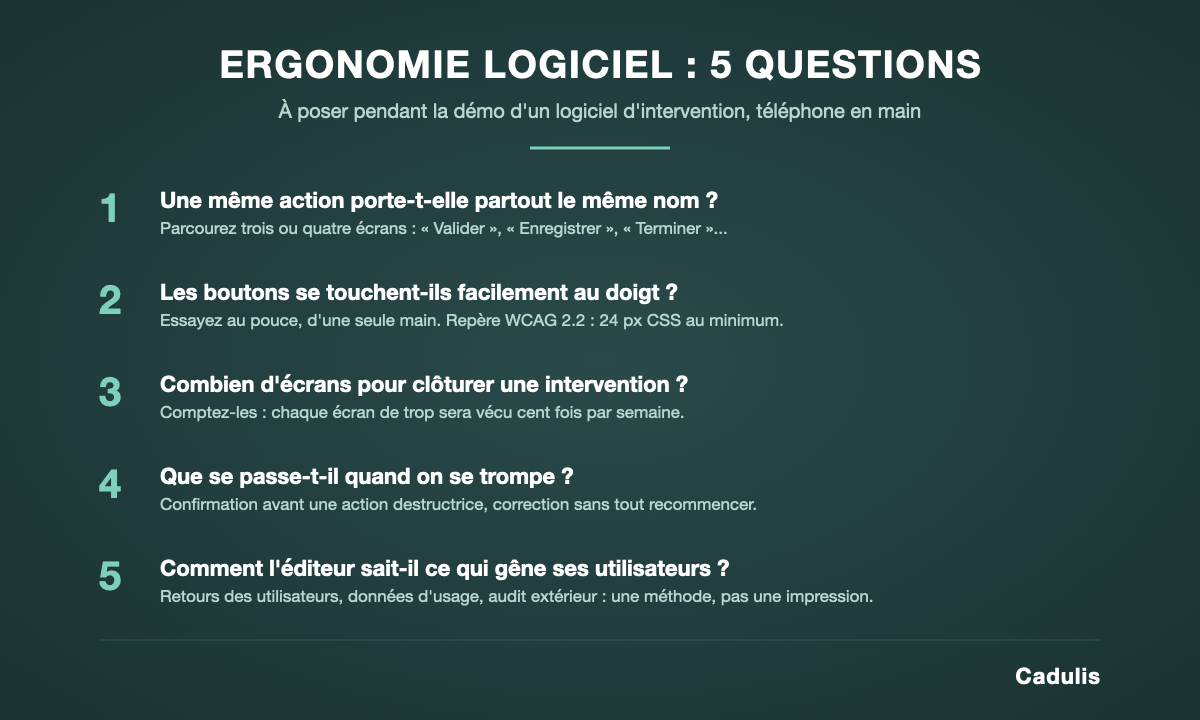
- Does the same action have the same name everywhere? Browse through three or four screens. If "Validate," "Save," and "Finish" seem to do the same thing, your technicians will hesitate.
- Are the buttons easily tappable with a finger? Do the demo on a phone, not on the editor’s computer. Try using your thumb, with one hand only.
- How many screens are needed to close a job? Count them. Every extra screen will be experienced a hundred times a week.
- What happens when a mistake is made? A destructive action should require confirmation, and a data entry error should be correctable without having to start over.
- How does the editor know what bothers its users? This is the most revealing question. A vague answer ("our clients are happy") is worth less than a method: user feedback, usage data, external audit.
One more tip. Have one of your technicians test the tool, not just the person who will sign the contract. In ten minutes of trial, they will spot what even the best-prepared demo doesn't show, and you'll know if they'll actually use it once in the field.
Are you yourself a software publisher? The UX design guide for SaaS interfaces published by UX-KEY details the approach, from user research to testing.
For the rest of your selection (features, pricing, commitment), our guide on how to choose the best field service management software reviews the other criteria.
Software ergonomics: a continuous project
Every new feature adds a button, a screen, a label, and thus another chance to blur what was once clear. The remedy is simple: regularly observe how the tool is actually used, and fix small issues before they become workarounds.
We do this with UX-KEY, one report per month. And if you want to judge for yourself, ask us for a phone demo, using your own jobs.